Posts

What is Glass.Mapper and how to Configure it

Image
What is Glass Mapper? Glass Mapper is a Sitecore ORM (Object Relation Mapping) created by Sitecore MVP Mike Edwards. An ORM maps data to the objects in your code. Glass Mapper is a powerful object relation mapping framework that models Sitecore objects to strongly-typed classes. Among other things it removes the necessity of mapping code to your data store, manual code mapping and item querying in your view logic. and its allows you to map data from Sitecore Database directly into strongly typed C# models. Glass mapper very famous ORM in Sitecore Community. WHY? In Simple way we can say its automatically map the data Sitecore items to C# models. Developers don’t need to write too many code to get data. Here some advantage about that. a. Map all basic attributes of a Sitecore Items b. Supports experience editor c. Make your code unit testable d. Large community to support e. Strongly typed classes For Comatability With Sitecore version Yo...

Sitecore Nuget Package: How to Add Sitecore NuGet Package in Solution

Image
The purpose of this article to explain how can we add Sitecore Nuget Package Source. So the required thing when we created new project that time we need to add more Sitecore references looks like. Sitecore.Mvc Sitecore.Kernel Sitecore.Analytics So what i recommend for this don't add directly from website bin folder because in future you will change the location and it will lost the reference location. we have various ways to do that but i prefer always Second Method.   a. First we can go with lib folder like we have to create one folder under solution and copy paste .dll from bin folder to lib folder and add reference it in your solution.  b. Second method which i personally prefer add Sitecore Nuget Package in your solution and add reference accordingly. So For Second method we will go step by step: When you are going to add any Sitecore reference from Nuget that time it will not show any Sitecore reference because we don't have source so firstly we have to ...

Configure Insert Option In Sitecore

Image
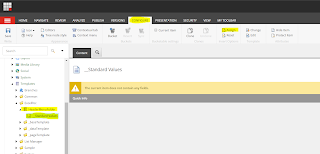
In most Sitecore projects, the developer is required to set insert options to Sitecore item/content/page which will be used by Sitecore content author. Insert options can include data template, branch template and command template.  Why we need insert option? Basically when you want to give the permission to author content for creating the content that time we enforced author to create content specifically permitted. whatever we want! Only administrator can add content or folder under the particular folder. a. The insert from template option only allow to admin to select existing template or folder whatever he want. author allow only whatever admin set. b. it helps you to enforce the user could possibly insert. So Let's implement Insert option. it's very easy to implement on template's standard values. Just go on existing template and select standard value. In ribbon button just go on configure tab. And click  on the assign button. it will open...

Configure Unicorn in Sitecore items for synchronization

Image
                                  Unicorn is a utility for Sitecore that solves the issue of moving templates, renderings, and other database items between Sitecore instances. This becomes problematic when developers have their own local instances - packages are error-prone and tend to be forgotten on the way to production. Unicorn solves this issue by writing serialized copies of Sitecore items to disk along with the code - this way, a copy of the necessary database items for a given codebase accompanies it in source control. The major benefit of this tool is free compare to TDS. So Let’s play with Unicron step by step. 1.      How to install unicorn with your Sitecore Instance?      Here As per your project structure you can create separate module or you can go ahead with existing module. I always preferred separate module for that so let’s mov...